
Automate WildApricot to QuickBooks Desktop
You will save hundreds of hours per year knowing your books are always up-to-date. QuickBooks Desktop for WildApricot will help your Executive Director and Treasurer save time and reduce stress especially during year-end and before annual general meetings.
Coming Soon for QuickBooks Online Customers…AccountBridge!
Benefits & Features

Automate QuickBooks Desktop
Schedule an automatic sync of WildApricot invoices and payments so QuickBooks Desktop is always up to date!

Saves Time
Your accountant or treasurer can reconcile quickly with Stripe, PayPal or WildApricot Payments so you get your books done faster.

Eliminate Manual Spreadsheets
Stop spreadsheet hell of manual conversion into IIF import files or copy and paste!

When it is time for your Annual General Meeting, your revenue from WildApricot will be already up to date! And if your Treasurer or Accountant changes your QuickBooks Desktop will stay consistent.

Reduce Operational Cost
Reduce or even eliminate paying for procedures fraught with error or lack of timeliness.

Explore Automation
QuickBooks Desktop for WildApricot uses Make.com which can expand your WildApricot system capabilities. Contact us for more details.
How it works (the project life cycle)
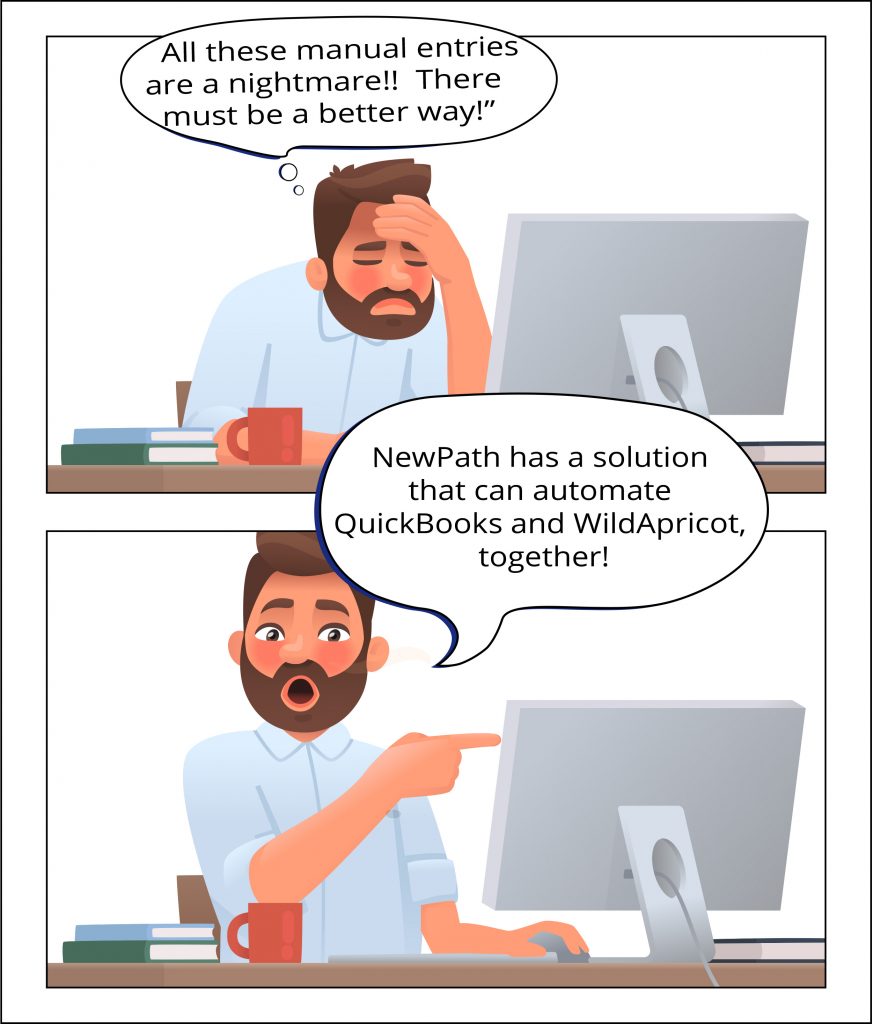
Are you struggling with manually exporting all your WildApricot invoices and payments into QuickBooks Desktop ? Luckily, we have a solution for this huge pain.

First, we make sure that QuickBooks Desktop for WildApricot is right for your organization by having an introductory call with your accountant or treasurer.

We will then make a plan to get everything setup. We will also work with you to get access to Make.com, which powers QuickBooks Desktop for WildApricot.

Our expert support specialist will review your QuickBooks Desktop setup and configure our “Business Rules Engine” based on your unique setup to ensure data flows correctly into QuickBooks.

Testing is next! We will try different types of transactions to ensure the integration is working as expected. We will then schedule the frequency of the integration. At this point we can import any historical invoices and payments as well.

You will receive regular status reports by email, giving you the peace of mind that your invoice and payment data is updated accurately. Get QuickBooks Desktop for WildApricot and use all that saved time to grow your organization!
Testimonials
“The NewPath team is dependable, timely, and ethical. The QuickBooks for Wild Apricot Add-on successfully streamlined our accounting and reporting systems. If you are looking for a team that combines professionalism with expertise, NewPath is it.”
Jean F. – Italian Cultural Society

“WildApricot simplified our finances. QuickBooks integrated seamlessly, saving us time and headaches.”
Amanda H. – Bair Island Acquatic Center

“The reduced stress of constant financial spreadsheet wrangling has tremendously increased my creativity.”
David A. – Plum Beach Club, Rhode Island, Treasurer

“We run a lot of large events and can now see profit/loss instantly on any event we run.”
Kim B. – Mechanical
Contractors of British Columbia, Executive Director

Frequently Asked Questions
With our new product AccountBridge, specifically designed for QuickBooks Online customers.
All our products are supported online via our Talk forum at no cost. If you would like on-demand, premium support via Zoom, check out our WildApricot Hero program.
An example of ongoing support includes updating or adding to the QuickBooks Desktop for WildApricot configuration in the Make.com data store, changes to the configuration when updating or adding WildApricot membership levels, event tags, or extra charge fields. NewPath can also add new automation features to the core functionality, but at an additional cost quoted based on your customization requirements.
Yes there is! TechSoup offers Intuit QuickBooks for a very large discount in the US and Canada. A minimum yearly savings of USD $500 is available for a subscription to US version of QuickBooks Online.
For US versions of QuickBooks Online and QuickBooks Desktop check out these options.
For Canadian versions of QuickBooks Desktop check out these options.
Your organization must meet the eligibility criteria to take advantage, and you can even switch off your existing subscription service for QuickBooks Online to save at least USD $500 every year.
The yearly license fee is $99 USD per year which includes maintenance we need to apply to your installation. There is a onetime configuration fee of $2999 USD to install, configure and test QuickBooks Desktop for WildApricot. This install fee will be invoiced separately from the recurring software license.
Your organization must also subscribe to the “Pro” plan of Make.com starting at $16 USD/month when purchased on an annual plan. The annual cost for Make.com will be $192 per year, subject to future changes by Make.com
Make.com is the automation platform that powers QuickBooks Desktop for WildApricot. NewPath configures QuickBooks Desktop for WildApricot directly in your Make.com account, and your organization has full ownership of the software.
NewPath schedules installations on a “first-come/first-serve” basis. The timing will depend on the availability of your staff and NewPath project staff availability. We will inform you when you pay your installation fee when your installation will commence.
When new features come out we will notify our customers via email, so please stay tuned. We charge $199 USD to upgrade your scenarios and configure any new features we provide for you. We will need access to your Make.com account.
NewPath designed QuickBooks Desktop for WildApricot to replicate the customers and financial documents (invoice, payments, donations) in WildApricot, with the bonus of automatically mapping entire invoices and/or invoice line items to different QuickBooks accounts, classes, etc. Once the data is inside QuickBooks Desktop , you can run reports that meet your business model or accounting needs. We have seen that our approach can be a challenge for administrators or treasurers who have not had the practice of bringing WildApricot customers into QuickBooks Desktop .
Product & Income Accounts
Base Requirement: a Product and corresponding Income account must exist for the WildApricot modules that are being used: Membership, Events, Online Store, Donation, Miscellaneous (e.g. manual invoices)
For increased Membership Level and Event Accounting: a Product and corresponding Income account must also exist for each area of detail. For example, each Membership Level or group of Membership Levels or each category of Event, identified by an Event Tag from WildApricot. Online Store items with tags can also be put into custom chart of accounts.
A Product and corresponding Income Account must exist for each instance of a WildApricot Extra Cost field that should use a different Income account from the rest of an Invoice.
Classes
If QuickBooks Classes are used, at minimum, a single Class must exist for each of the WildApricot modules that are used: Membership, Events, Online Store, Donation, Miscellaneous (e.g. manual invoices). The use of QuickBooks Desktop classes is optional and is not required for QuickBooks Desktop for WildApricot to operate.
For increased Class granularity: a Class must also exist for each area of detail. For example each Membership Level or group of Membership Levels or each category of Event, identified by an Event Tag from WildApricot.
Accounts Receivable Account and Deposit Accounts
QuickBooks Desktop for WildApricot assume “accrual accounting” is in use by the organization. An “Accounts Receivable” and an “Undeposited Funds” account must exist. WildApricot invoices and payments will be posted to these accounts. QuickBooks Desktop for WildApricot can use a specific Deposit Account (separate from Undeposited Funds).
Sales Taxes
The Tax rates used in QuickBooks Desktop and in WildApricot must be aligned.
Other QuickBooks Settings
Do you use the Sales Form setting “Custom Transaction Numbers” to prevent duplicate Invoices?
Do you use Accrual vs Cash reporting? QuickBooks Desktop for WildApricot supports accrual accounting only.
Customer Information
Is there a consistent “Display Name” format for each of the customers that comes from WildApricot to QuickBooks Desktop ? (e.g. First Name Last Name vs. Last Name, First Name)
Successful installations can take between 10 and 20 hours. This includes both time from our expert consultants and your time providing us configuration data and testing results. NewPath charges a fixed fee of USD$2999 for an installation.
NewPath staff will work with you to configure QuickBooks Desktop for WildApricot using the following information:
– configure how customer information flows into QuickBooks Desktop
– create a “mapping” of WildApricot invoices & payments to your QuickBooks Desktop chart of accounts, QuickBooks Desktop Product Item Names and Quickbooks classes (optional).
– identify which WildApricot modules are generating invoices and payments (ie Membership Levels, Events, Online Store, Donations)
– the schedule and frequency of when you would like to generate QuickBooks Desktop IIF import files
– to whom QuickBooks Desktop for WildApricot status reports should be sent and where QuickBooks Desktop IIF files can be archived (optional)
Our expert consultant will guide you through the process of identifying which parts of WildApricot are mapped into your existing QuickBooks Desktop setup. We will configure the “Business Rules Engine” in QuickBooks Desktop for WildApricot.
NewPath Consulting will not alter your QuickBooks Desktop setup for you during the installation procedure. If you are not familiar with QuickBooks Desktop or would like to make some changes to your QuickBooks Desktop practices or setup, our recommendation is to bring on an experienced QuickBooks Desktop expert that can make the necessary changes. We can recommend several that can work with us to make the necessary adjustments before we begin our installation of QuickBooks Desktop for WildApricot.
Since WildApricot uses accrual accounting, QuickBooks Desktop for WildApricot follows the same accounting principles. Accrual accounting recognizes the revenue earned at the time of sale and expenses incurred by the company. An example is the sale of an event registration, where the revenue is recorded in the books of account on the date of sale irrespective of whether payment was received at the time of the invoice or on a later date. Since payments can be with a credit card or paid later by cash or check, accrual accounting is usually the standard for associations, especially larger associations.
Small businesses that operate only in cash (i.e. transactions are always paid on the same day as a sale) can use cash accounting effectively. If QuickBooks Desktop for WildApricot is used with cash accounting, it can still show revenue (using an invoice) and money received (using a payment mapped to a deposit account of your choice). There may be discrepancies on some reports if the invoice and payment are on different dates or an invoice is not paid in full. As always, please speak to an accountant to understand your organization’s situation and how these statements apply to you. Here is a reference link that provides additional information. And a short video explaining the difference.
The following WildApricot financial objects are supported:
-Invoices
-Payments
-Donations (created as a Sales Receipt in QuickBooks Desktop)
The following “Business Rule Mappings” are supported:
-For Invoices:Membership Level Name
-Event tag
-For Payments:If linked Invoice found, invoice mapping may be used to specify different deposit accounts
-Donation:Use “Campaign” custom form field to map to custom campaign account in QuickBooks Desktop
The following QuickBooks Desktop items can be mapped to:
-Accounts
-Products (Inventory List Items)
-Classes
To get a full picture of all WildApricot financial transactions, we import invoices, customers and link payments to invoices, as recorded in WildApricot. At this time, we cannot import payments or data from payment gateways (eg PayPal, Stripe or Affinipay). The payment gateways do not store enough information to accurately map the revenue to a flexible set of charts of accounts or classes. Since WildApricot can act as the “single source of truth” for financial records of all forms of payments, our recommendation is to import from WildApricot directly rather than from the payment system as that may cause problems in your QuickBooks reconciliation processes.
We will import 1 month of historical invoices, customers and payments as part of a testing process, if requested. Historical data imports of 2 or more months will require a Make.com Pro plan to support more operations as well as be charged at $200USD per month to account for more time required to manually run and inspect the resulting imports.
When there are exceptions during the sync process, you will get a report of any errors or exceptions. An example would be when you introduce a new event tag that has no QuickBooks Desktop for WildApricot configuration. The configuration will need to be changed to support new structures in WildApricot.
Any invoices or payments that are edited in WildApricot after they have been imported will also not be sync’d. Those edits will need to be done manually in QuickBooks Desktop .
QuickBooks Desktop for WildApricot does not automatically reconcile deposits made by your payment gateway (such as Affinipay) in your bank account to the payment transactions imported from WildApricot.
NewPath Consulting Add-on product purchases are not refundable. If the product does not meet your needs, simply do not renew after the yearly subscription expires. Please notify NewPath via the Contact form to halt a renewal of the subscription.
A smarter way to manage your organization’s bookkeeping
Take the work out of your bookkeeping workflow with smart automated features. NewPath Consulting’s QuickBooks for WildApricot App, will save you a bundle of time, so you’re not bundled down by your bottom line.
why choose newpath consulting?
Peace of Mind

Solutions and services crafted from the experience of a trusted, 10-year WildApricot partner.
Responsive Staff

Get answers, resolutions and results fast when it matters and always with dedicated same-day response staff.

Did you find your solution?
If not, NewPath Consulting has helped hundreds of clients implement the system that best fits their needs. We will work with you to match your organization’s goals with the right suite of WildApricot Membership Management software and apps.